
One operating system. Every phase of the build.
Run the entire construction business from one command center.
The operating system for contractors. Projects. People. Costs. Schedules. Documents. Communication. Everything connected, from the first call to the final invoice.
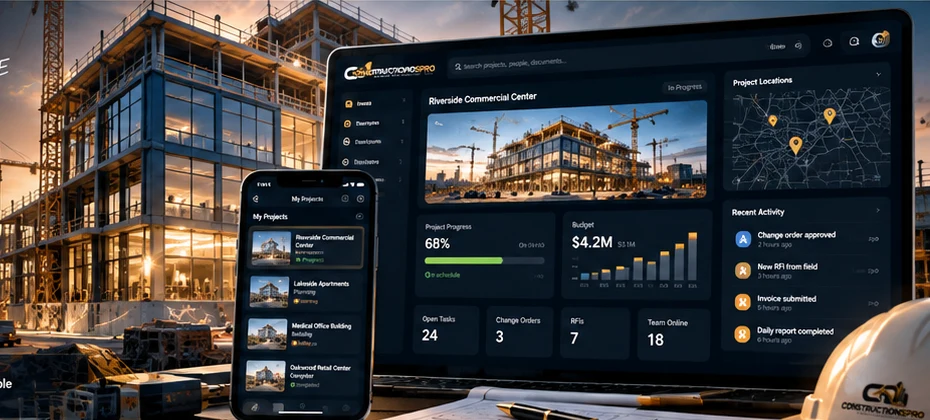
- All-in-one platform
- Built for real construction
- Works on any device
- Company data kept separate
Solutions
Built around the way
construction actually works.
Different roles. One connected system. Give your team the tools to move each job from opportunity to completion.
Owners
Know what every job made, who owes you, and which projects need attention.
Estimating & Sales
Price from your own book, create proposals, and follow up on the ones worth a call.
Project Management
Milestones, change orders, costs against budget and the punch list in one place.
Office & Dispatch
Book the crew, invoice on time, and chase what is overdue.
Field Crews
Today’s jobs, directions, clock in, photos and checklists — on a phone.
Financials
Payments, job costs, receipts and a 1099 worksheet at year end.
From opportunity
to long-term growth
- LeadCapture and follow up
- EstimatePrice the work
- DesignCompare concepts
- BuildManage the job
- PayTrack invoices
- GrowReview performance
One record, start to finish
From the first call to the last payment.
Most contractors run five tools that do not talk to each other, and re-type the same job into each one. Here it is the same record moving forward, and each step knows what the one before it said.
- 01
The call
A lead from your website, the marketplace or the phone lands with its source.
- 02
The measurement
Photos and dimensions, checked by a person before anything is priced.
- 03
The price
Your own price book, your margin, your exclusions — versioned.
- 04
The yes
A proposal the customer signs in their portal, and a deposit they pay by card.
- 05
The crew
A dispatch board that will not send somebody whose insurance has lapsed.
- 06
The change
A change order the customer approves, and a contract that revises itself.
- 07
The cost
An append-only ledger of what the job actually cost, as it happens.
- 08
The money
Invoices, payments, receipts, and who still owes you — from records.
Everything a contracting business runs on.
Win the work
Take the call, measure the job, price it from your own book, and send something a customer can answer.
- Leads, a sales pipeline and follow-ups
- Measurements verified by a person
- Estimates from your price book and assemblies
- Proposals signed in the customer’s portal
Run the job
The accepted proposal becomes a project with a contract value nothing can quietly restate.
- Projects, milestones and a schedule of values
- Crews, dispatch, routes and a crew’s day on a phone
- Purchase orders, vendors and stock
- Subcontractors cleared before they are sent
Know the money
What the job cost, what it will cost, and who owes you — from records, not a spreadsheet somebody keeps.
- An append-only cost ledger, corrected by reversal
- Change orders that revise the contract
- Invoices, card payments, receipts and recurring plans
- Receivables ageing and a 1099 worksheet
Grow
More of the right work, from a website and a marketplace that run on the records you already keep.
- Your own website, on your own domain
- Online booking from real availability
- Reviews and a portfolio, with the customer’s permission
- A place in a marketplace that cannot be bought
Design Studio and plans
Show them before you build it.
Put options in front of a customer — materials, colours, a 3D model of their own property — and watch the price move as they choose. Trace a plan sheet and take the quantities straight into an estimate.
Options with prices
Each choice carries its own price, so the customer sees what it costs as they pick it.
Their property in 3D, and in the room
A model the customer turns on their portal and stands in the room with their phone — labelled as a picture, never a measurement.
Takeoff from a scale you set
Nothing is measured until somebody sets the scale from a dimension they know.
Concepts marked as concepts
An illustration is never presented as a drawing, a measurement or a promise.
Hire protected
Know who is cleared to work before you send them.
A licence, a certificate of insurance, a bond, a W-9, a signed agreement — held together, checked by a person, and watched for the day they expire. Not a folder of PDFs somebody hopes is current.
Uploaded is never the same as verified, and the system will not pretend otherwise. Subcontractors see their own status, and what to send to fix it.
Clearance
- Cleared to assignEverything current, nothing expiring soon.
- Needs attention soonValid today. Renewing takes about a month.
- Not compliantMissing, expired, or on file and never checked.
- BlockedSomebody stood this person down, and said why.
Your customer’s side
Fewer “just checking in” calls.
Every customer gets a portal: the proposal to sign, the deposit to pay, when the crew is coming, a change to approve, and the warranty afterwards. They never see your costs or your margin — only what you choose to share.
Your roof replacement
Everything about your job, in one place.
- Your proposalSigned 3 MarchDone
- DepositPaid — receipt emailedDone
- Start dateThursday 12 March, 7:30amNext
- A change to approveExtra flashing, +$640.00Review
- DocumentsWarranty, permit, insuranceDone
In the field
The crew’s day, on the phone in their pocket.
Where to be and when, one tap to tell the customer they are on the way, check-in at the property, photos filed against the job, and hours on the time clock. The office sees it as it happens.
My day
Thursday · Alpha crew
7:30 · Roof replacement
14 Elm Row
Checked in 7:26
12:30 · Gutter repair
3 Mill Lane
On my way sent
15:00 · Survey
88 Station Rd
22 min drive · 40 min gap
AI with a person deciding
It drafts. You decide.
It never sends a price on its own
An AI draft becomes a proposal only when somebody with the authority approves it.
It shows its working
Every suggestion carries what it was based on and how sure it is, so you can check it.
It cannot change anything
Suggestions are kept apart from your records. Nothing moves until a person says so.
Works with what you already use.
Card payments
Through Square, with receipts and reconciliation.
E-signature
Proposals and agreements signed online.
Text messages
Reminders and on-my-way, only with consent.
Your domain
Connect one you own, or register a new one.
Open API
Read access and signed webhooks for your own tools.
Said plainly
What it will not do.
Price a roof from a photo alone
A person verifies every measurement, and hidden or structural work goes to a site visit.
Sell a verified badge
Verification comes from checked, current evidence. No plan buys it.
Buy you lists of strangers
Leads come from people who asked. It does not scrape or cold-message anyone.
Write your contracts
Templates hold your wording. It fills in the facts; it never adds legal text.
Questions contractors ask.
Do I have to move everything over on day one?
No. Start with your next job: add a customer, price the work, send the proposal. A new company starts in Simple mode, with the everyday screens up front and the rest one click away.
Does it measure a roof from a photo?
It records photos and measurements with their source and confidence, and a person verifies them before anything is priced. Nothing here claims a measurement from a photograph alone is accurate, and structural or concealed work always goes to a site visit.
Can my customers pay online?
Card payments require a connected Square account. Until it is connected, this installation uses simulated payments. With Square connected, customers can pay an invoice or deposit, with receipts. A card payment counts only once the payment provider confirms it, and every payment is allocated to invoices and reconciled.
What does “verified” mean in the marketplace?
That somebody checked the licence or insurance behind it and it has not expired. When it lapses the badge goes, on every plan. Verification is never sold, and paid placement is labelled as paid.
Who can see my data?
Your company’s records are isolated from every other company’s at the database, not just in the screens. Customers see only what you share with them, and every sensitive change is in an audit trail.
Can I leave?
Yes. Your data is yours, and you can export it whenever you want.
Start with your next job.
Create your company, add a customer, and price the work. It takes a few minutes and costs nothing.